
To further streamline address management, version 3.0.0 brings the much-requested Import/Export feature. You can now enable your customers to import and export address data from their account pages.
<strong>Import Addresses to your Address Book</strong>
Total Time: 15 minutes
Log into your accounts address book
Once you have logged into the WooCommerce My Account page navigate to your Address Book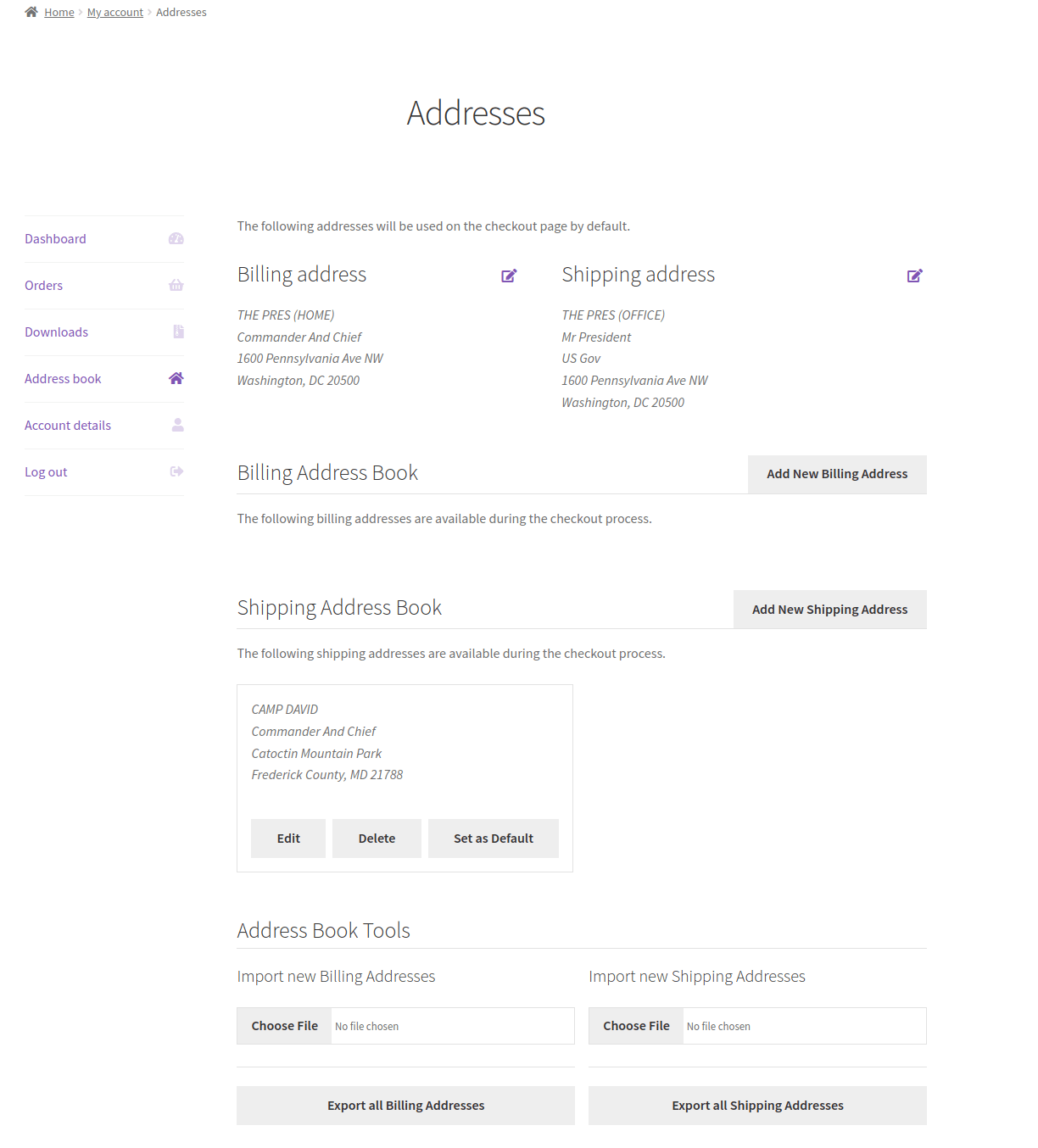
Set the address data
Create a CSV file with the address data you would like to import. It must contain the correct column headings import and be in a CSV format. We suggest exporting a copy of you addresses first to get a file in the proper format and then modifying it as needed before re-importing it. This can be done by following the export directions below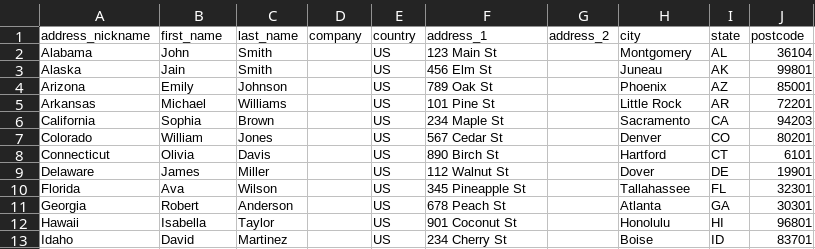
Select your address file
Click the “Choose File” button to select the CSV file that from your computer containing the address data you would like to import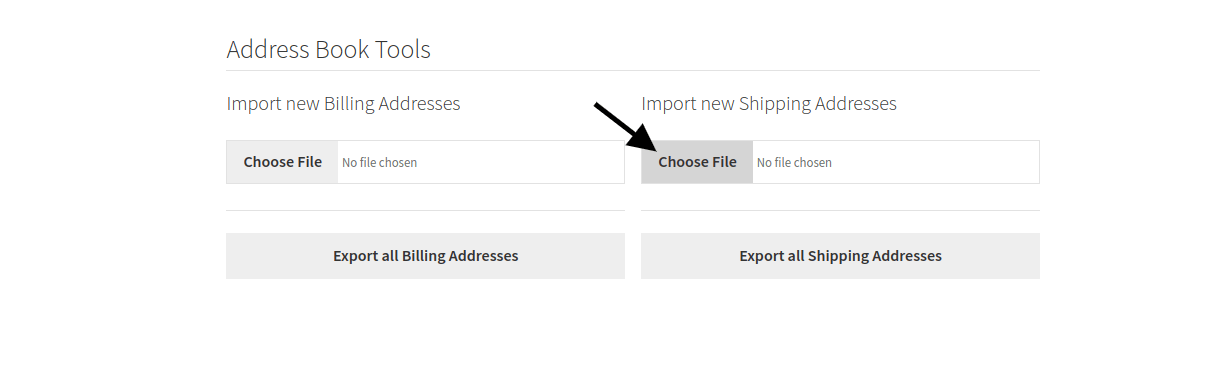
Import the address data
Once you have selected the file click the “Import” button to upload the file and run the import.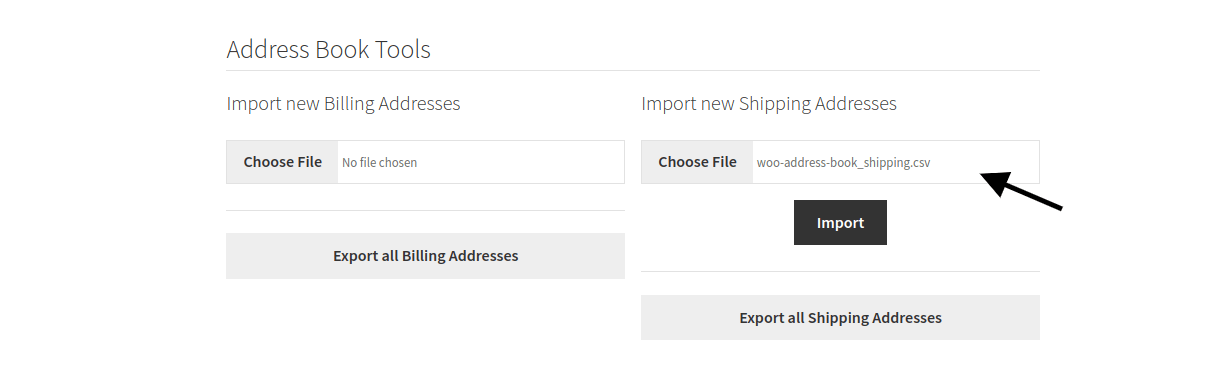
Review the imported addresses
Once it is complete you will see a message letting you know the addresses have been successfully imported and you should review them to make any further adjustments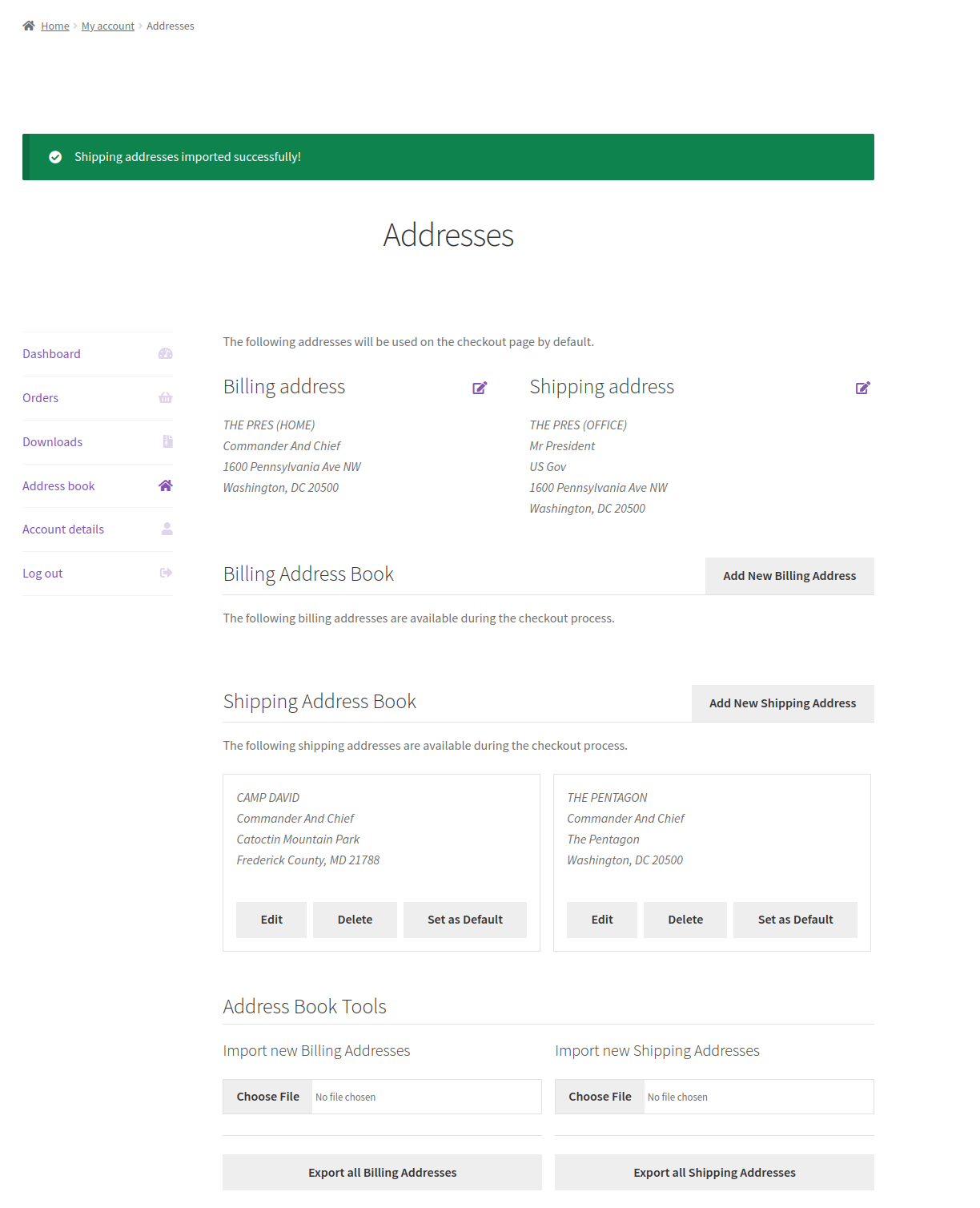
Export Addresses to your Address Book
To export all the billing or shipping addresses from your accounts address book simply click the Export button located at the bottom of the Address Book page and you will be prompted to download a CSV file containing all the relevant address data.
Questions & Support
Still have a question? Review our other documentation for the Address Book for WooCommerce plugin, or reach out with additional questions or feature requests.