
The WooCommerce Address Book plugin allows your customers to quickly and easily manage multiple billing and shipping addresses, as well as swap which as used as their default. This is a quick guide on how customers can quickly swap the default addressing in the new user interface introduced in version 3.0.
Set your accounts default billing or shipping address
Log into your accounts address book
Once you have logged into the WooCommerce My Account page navigate to your Address Book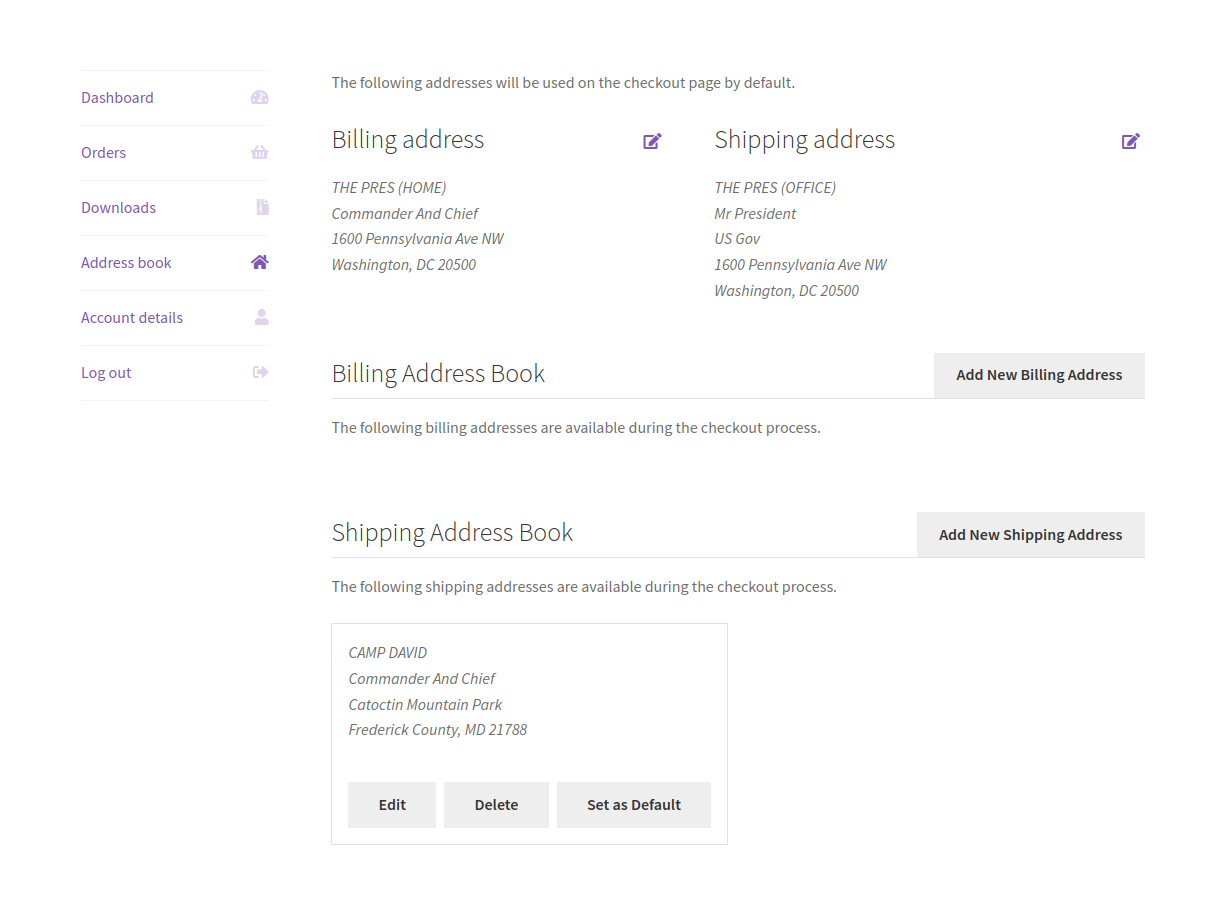
Set the address as default
Located the address in the billing or shipping section you would like to use as your default and click the “Set as Default” button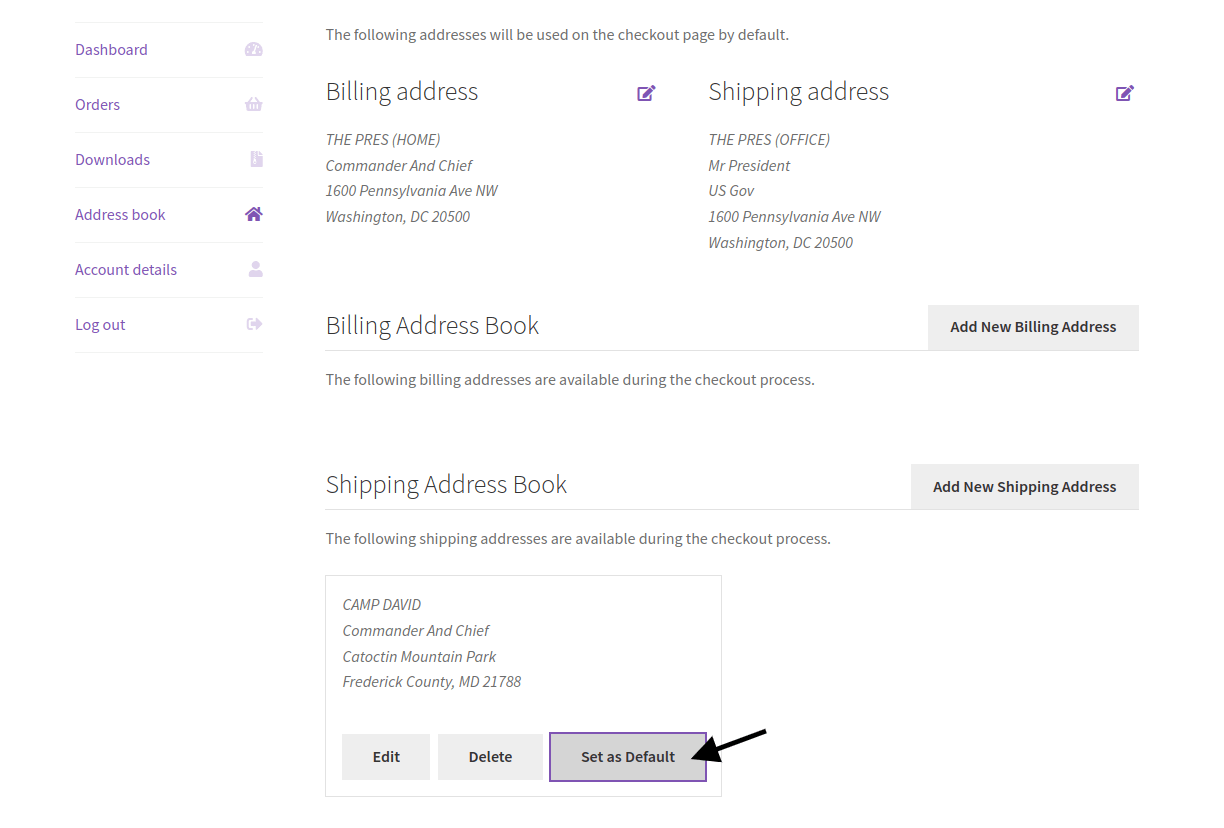
Review your default addresses
Scroll back to the top and review the default billing and shipping addresses to make sure the new address was set. You should also see a notice confirming the change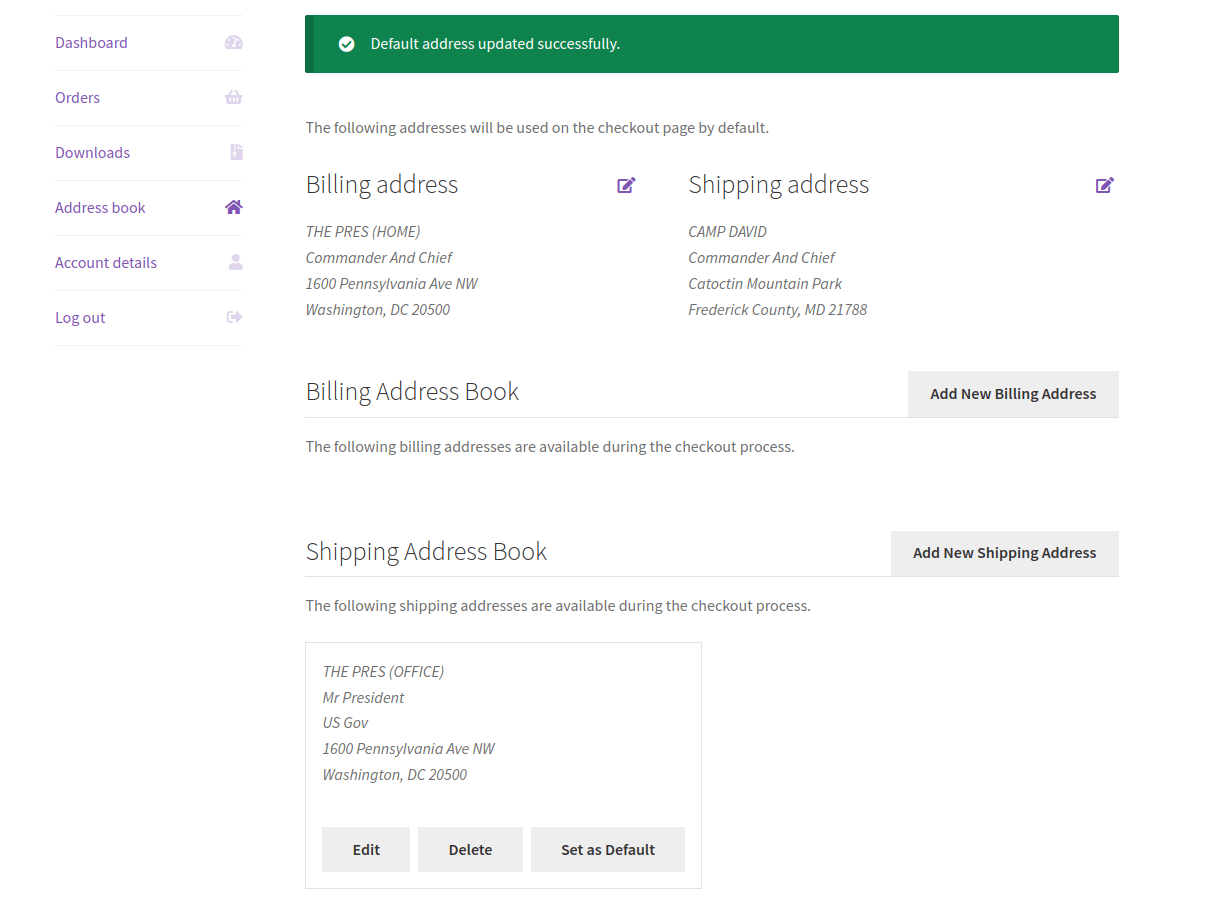
Questions & Support
Still have a question? Review our other documentation for the WooCommerce Address Book plugin, or reach out with additional questions or feature requests.