

Get your teams the leads they need.
If you manage a WordPress site using Gravity Forms, you know how crucial form data can be for sales, marketing, and operational teams. However, getting that data out of WordPress and into the hands of the people who need it can often be a tedious, manual process. Enter the Scheduled Entry Exports for Gravity Forms plugin.
What Does It Do?
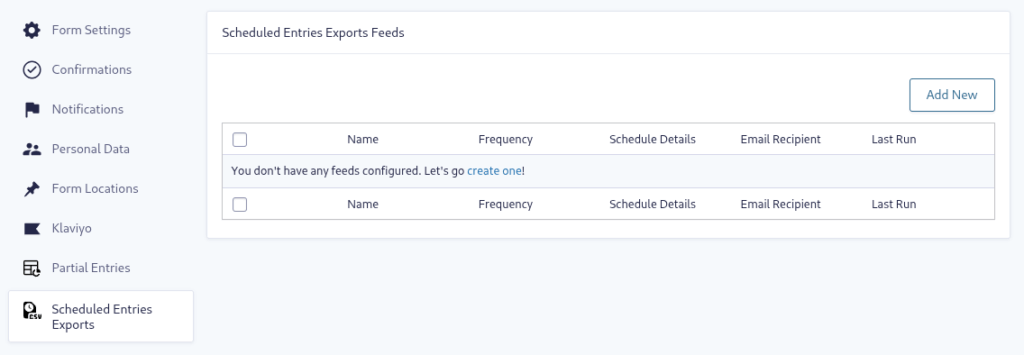
This plugin automates the data extraction process. It allows you to automatically export Gravity Forms entries to a .CSV file and send them to designated email addresses on a recurring schedule. Under the hood, this plugin utilizes the native WordPress Cron (WP-Cron) system to process background schedules efficiently.
Who Should Use It?
The primary purpose of this plugin is to allow web admins to send batched form submissions to people who may not have access to the WordPress backend.
A common example of this would be automatically emailing a weekly digest of sales leads directly to a company’s sales staff. Other excellent use cases include:
- Event Coordinators: Receiving a daily export of new RSVPs.
- HR Departments: Getting a monthly batch of job application submissions sent directly to hiring managers.
Plugin Key Features
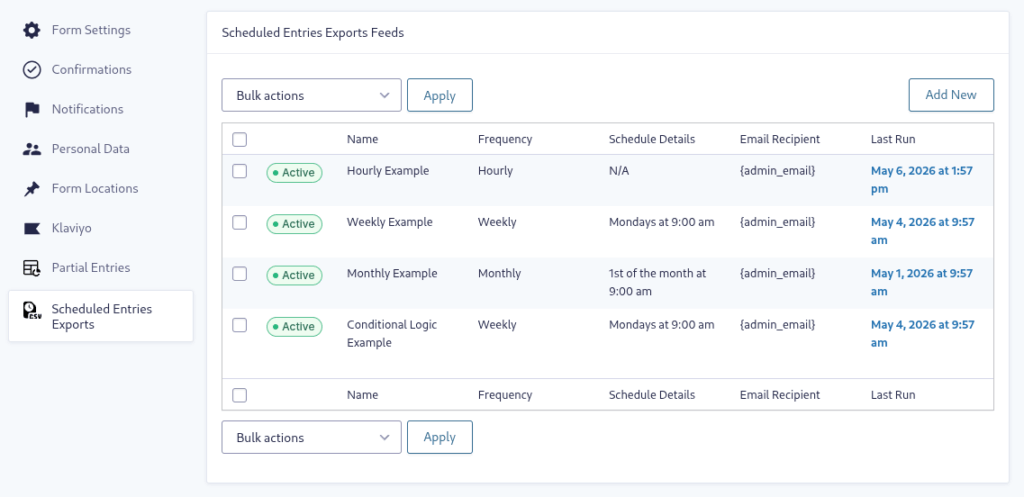
- Form-Specific Scheduling: You can create multiple export schedules on a form-by-form basis.
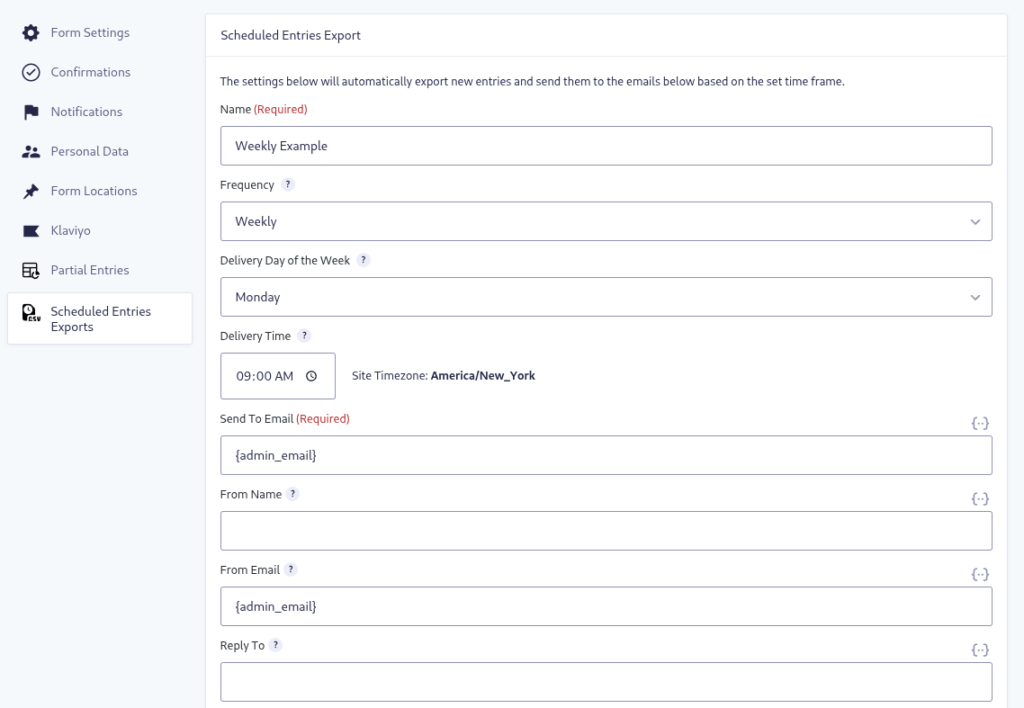
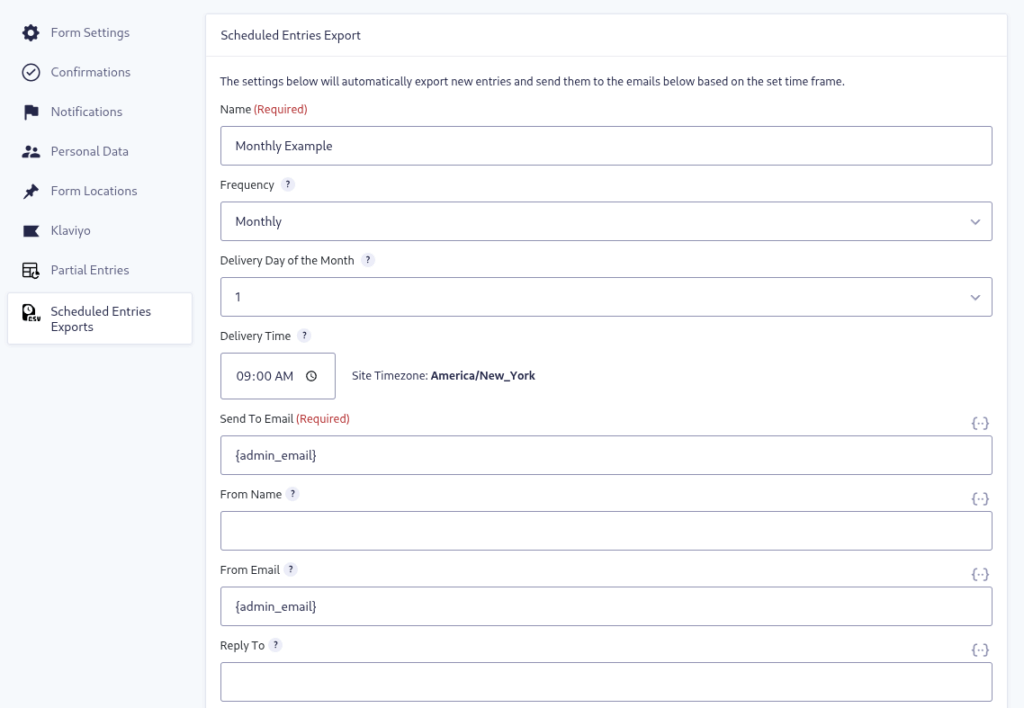
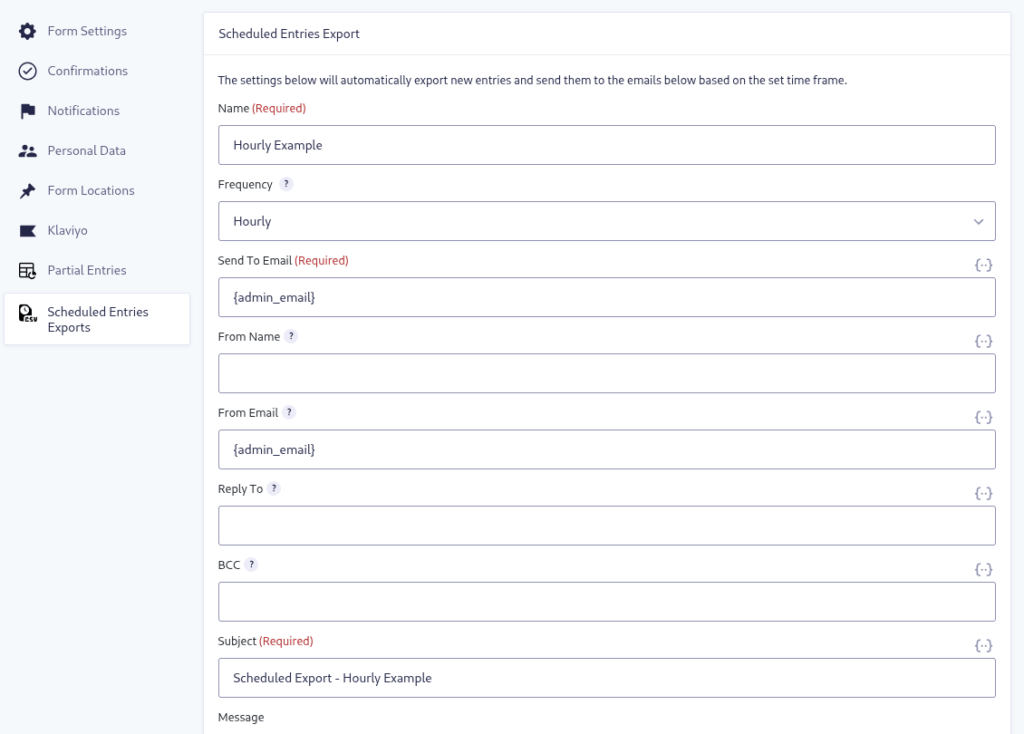
- Flexible Delivery Frequencies: Set how frequently the entries are exported and emailed: Hourly, Daily, Weekly, or Monthly.
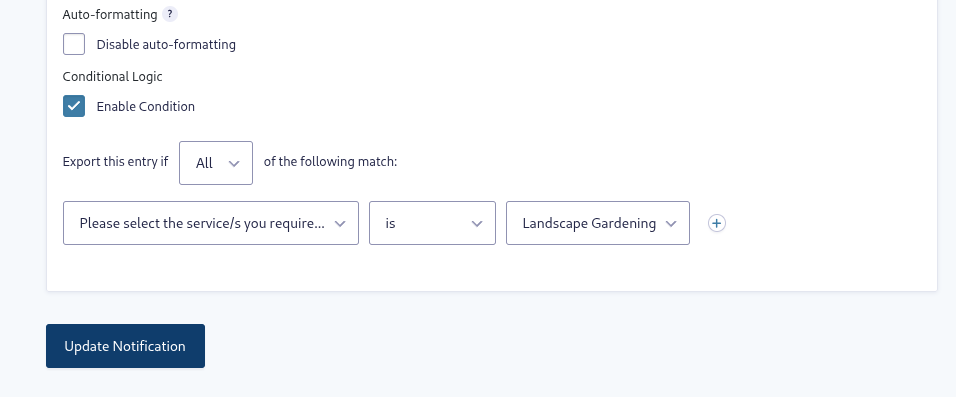
- Smart Filtering: Utilize Gravity Forms Conditional Logic to only export entries that match specific criteria (e.g., “Only export if Status is Complete”).
- Custom Email Routing: Send the batched CSV export to one or multiple email addresses (Supports CC and BCC), and completely customize the email subject, message, and sender details.
For the Developers: Deep Extensibility
The plugin is highly extensible with custom developer hooks allowing developers to completely customize the export process.
Using provided filters, you can modify the search criteria before entries are fetched, change the CSV delimiter, add or rename CSV headers, or alter data values inside specific rows before the file is written.
Furthermore, the plugin provides a powerful gform_scheduled_exports_post_export action that fires at the very end of the background export process. This is extremely useful if you want to upload the generated file to a third-party server (like an AWS S3 bucket or an FTP server) instead of, or in addition to, emailing it.
Have a unique workflow in mind?
Whether you need help configuring your first export schedule or have questions about how our other plugins can streamline your site, we’re here to help. Contact the CrossPeak team today—we love talking shop and finding ways to make WordPress work harder for you.