
To further streamline address management, version 3.0.0 brings the much-requested Import/Export feature. Now you can effortlessly import and export address data, making it easier to back up your data or transfer it between different installations. To enable this feature, head over to the plugin settings and turn it on to start benefiting from its time-saving capabilities.
Enable Import/Export for the Address Book
As a Store Manager if you want to allow your customers the ability to import/export their billing and shipping addresses they use when ordering from your site you will first need to have the Woo Address Book plugin installed and then enable the import/export setting.
<br>To enable the Import/Export tool for the Woo Address Book
Total Time: 5 minutes
Go to the Address Book Settings
After login into the Dashboard of your site go to WooCommerce > Settings then click on the “Address Book” tab to view the settings.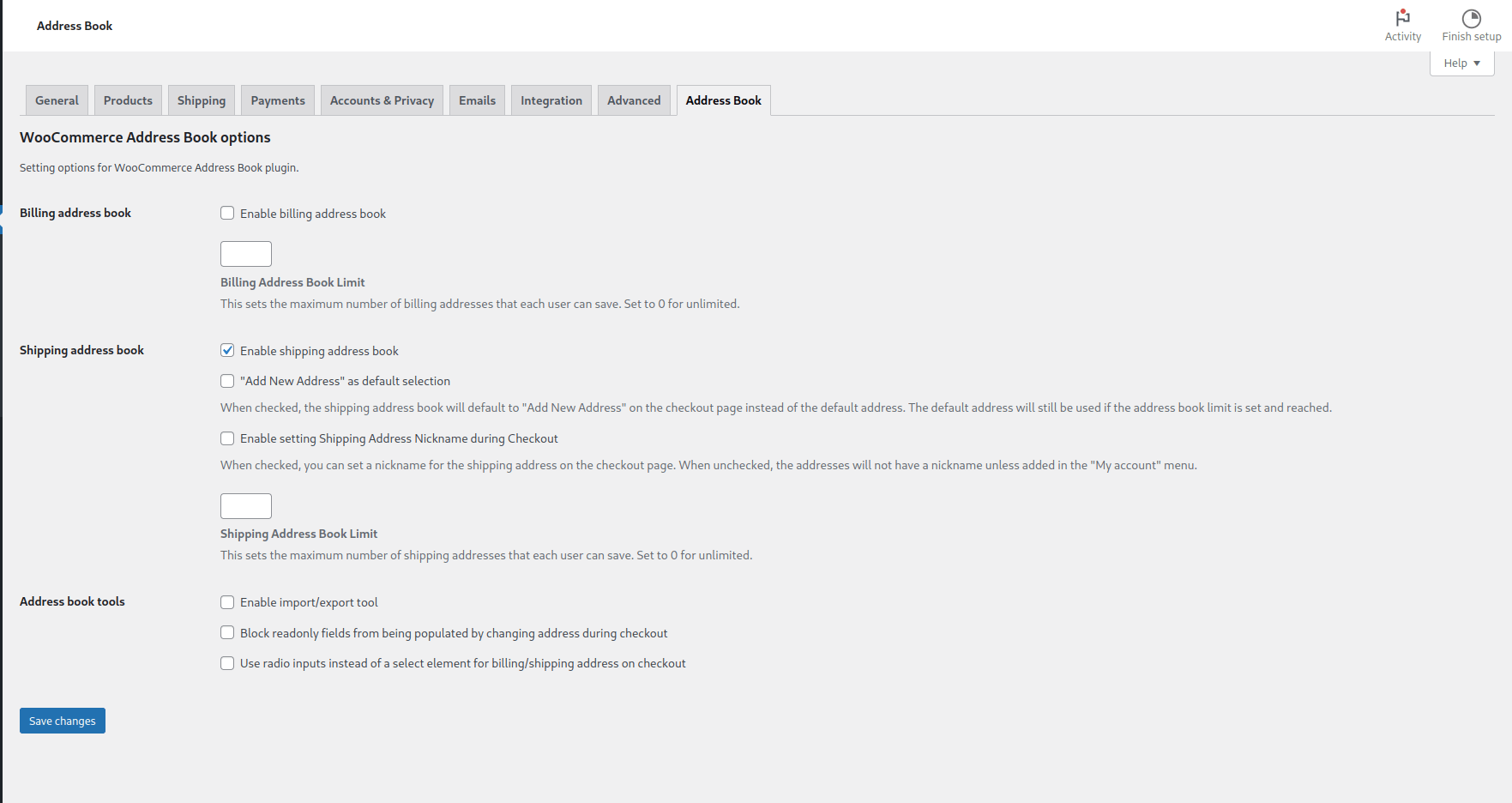
Enable the import/export tool
Under the “Address book tools” section locate the “Enable import/export tool” setting and click the checkbox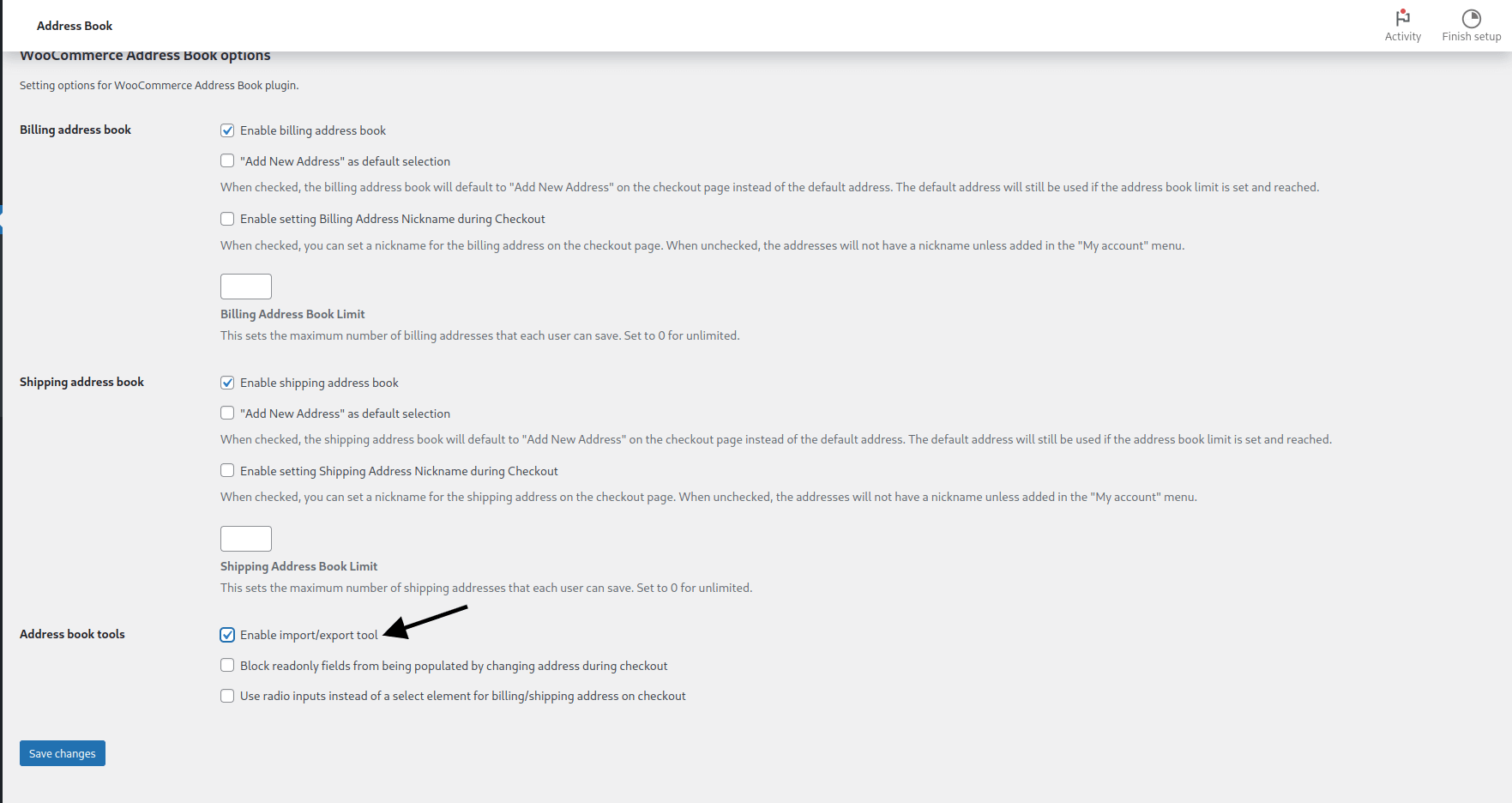
Save the Settings
Make sure to click the “Save changes” button in the lower left corning.
You are all set! Now your customers will be presented with the ability to both import and export their billing and/or shipping addresses within the My Account > Address Book settings on your site with in their account.
Questions & Support
Still have a question? Review our other documentation for the WooCommerce Address Book plugin, or reach out with additional questions or feature requests.