
Automate your form data delivery.
Send scheduled, batched CSV reports directly to the inbox of the people who need them most.
Are you tired of manually exporting Gravity Forms entries every week to share them with your team? The Scheduled Entry Exports plugin allows you to automatically export Gravity Forms entries to a .CSV file and send them to designated email addresses on a recurring schedule.
Stop wasting time on manual data entry and start automating your reporting today.
Who is this for?
This plugin is the perfect solution for web admins who need to send batched form submissions to people who may not have access to the WordPress backend.
- Sales Teams: Automatically email a weekly digest of sales leads directly to your company’s sales staff.
- Event Coordinators: Receive a daily CSV export of new event RSVPs or registrations to easily manage attendee lists.
- HR Departments: Get a monthly batch of job application submissions sent directly to hiring managers for review.
- Agencies & Freelancers: Provide immense value to clients by automating their reporting, keeping them out of the WordPress admin dashboard.
Key Benefits
- Save Time & Eliminate Manual Work: Set up your export feed once, and let the plugin do the heavy lifting in the background using the native WordPress Cron (WP-Cron) system.
- Enhance Security: Keep your data secure. Instead of creating unnecessary WordPress admin accounts for staff who just need form data, simply send the data directly to their email.
- Laser-Focused Reporting: Don’t just send all the data; send the right data. Utilize Gravity Forms Conditional Logic to only export entries that match specific criteria (e.g., “Only export if Status is Complete”).
- Developer Friendly: Highly extensible with custom developer hooks. Need to upload the generated file to an AWS S3 bucket or FTP server instead of emailing it? Our
gform_scheduled_exports_post_exportaction makes it easy.
Feature Highlights
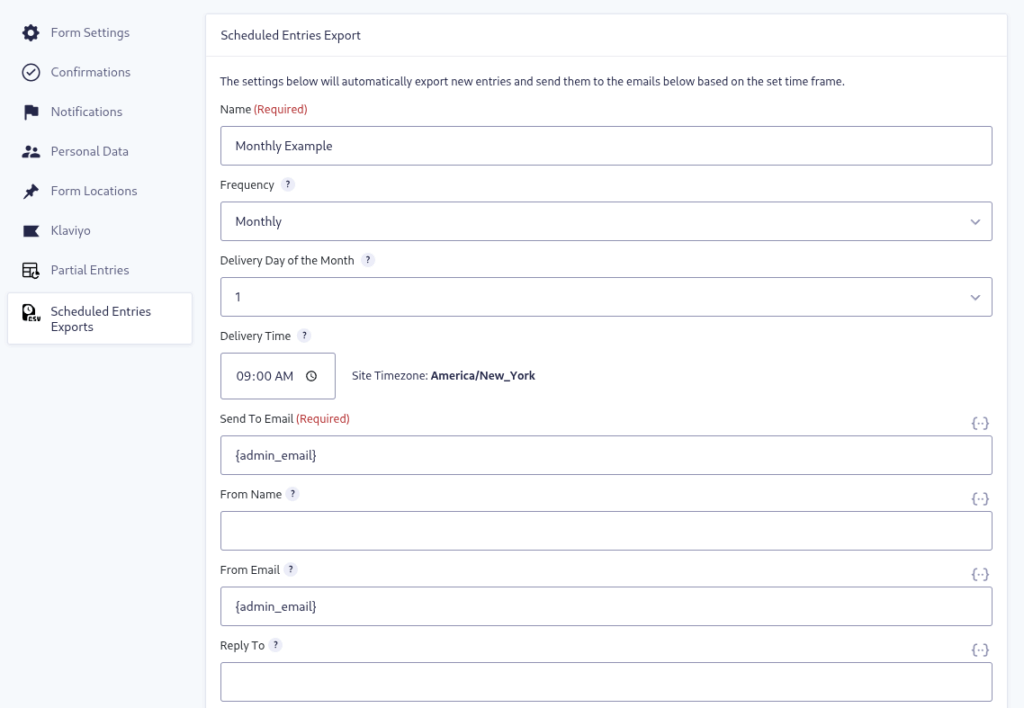
- Flexible Scheduling: Set how frequently the entries are exported and emailed: Hourly, Daily, Weekly, or Monthly.
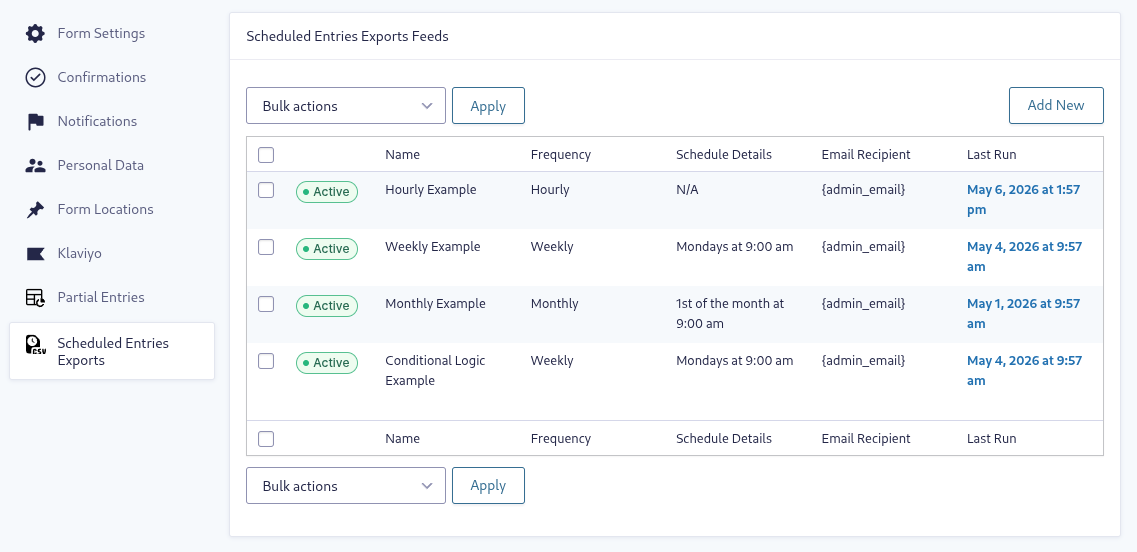
- Multiple Schedules: Create multiple export schedules on a form-by-form basis.
- Advanced Email Routing: Send the batched CSV export to one or multiple email addresses (Supports CC and BCC).
- White-Label Delivery: Customize the email subject, message, and sender details to match your brand.
How It Works
Setting up a scheduled export is just like setting up a standard Gravity Forms notification or add-on feed:
- Select Your Form: In your WordPress admin dashboard, navigate to a form’s settings and click on “Scheduled Entry Exports”.
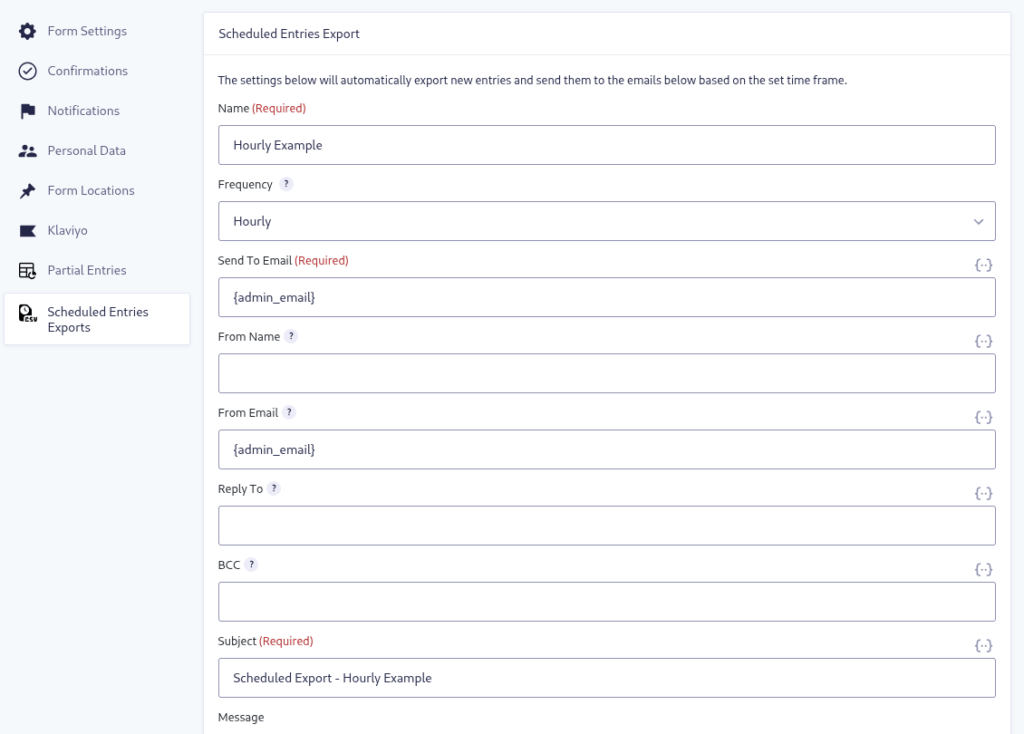
- Create a Feed: Click the “Add New” button to create a new export feed and give it a descriptive name.
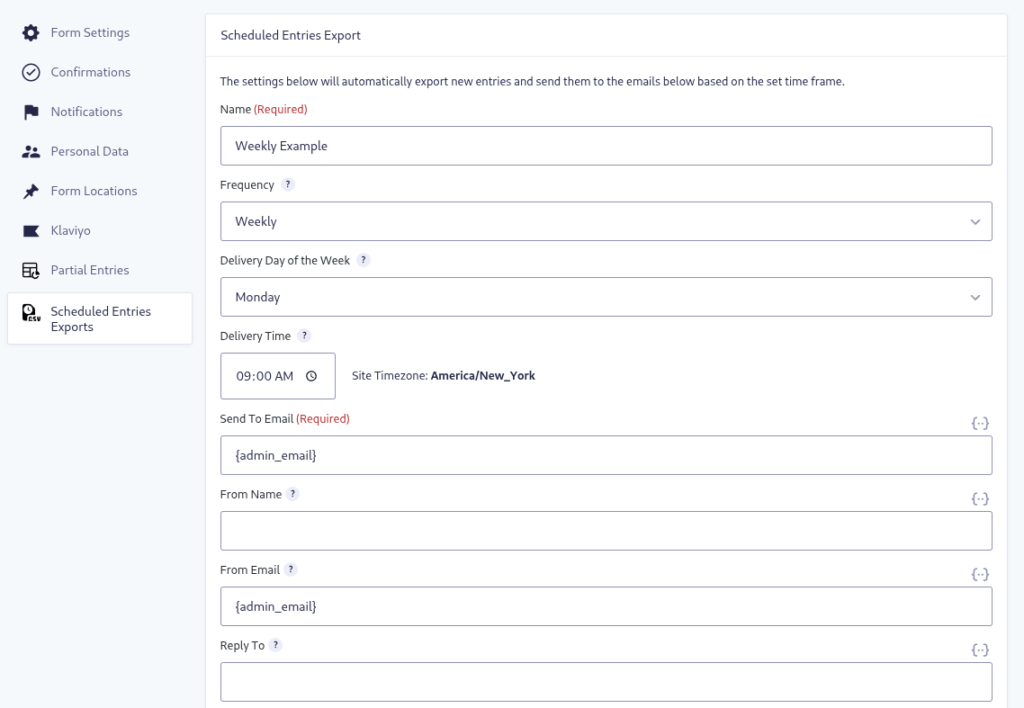
- Set the Schedule: Choose your desired frequency (Hourly, Daily, Weekly, or Monthly) and set the exact delivery day and time.
- Configure Delivery: Enter the email addresses that should receive the CSV attachment, customize your email message, and apply any conditional logic.
- Save & Relax: Click “Update Settings”. Your automated exports will now run seamlessly in the background!
You must log in to submit a review.